
Family Link works fine for a nine year old. It falls apart once your kid turns thirteen, gets their own Google account at school, switches to a hand-me-down iPhone, or figures out that a factory reset clears most restrictions in under five minutes. Teenagers are not toddlers with a tablet. They actively look for the gaps in whatever you set up, which is exactly why most parents end up replacing Family Link with something built to hold up against a kid who is trying to get around it.
Start by reading what other parents have already run into before you spend money. The website Flammin Forum is where a lot of that conversation already happened. Parents post the exact model of phone that gave them trouble, which apps stopped working after an iOS update, and which ones their teenager found a way around within a week. Search the forum for your specific device first, since someone has usually hit the same wall you are about to hit.
A quick side by side before the breakdown:
|
# |
App |
Key features |
Price |
|
1 |
mSpy |
iMessage tracking, GPS location history, social media (WhatsApp, Instagram, Snapchat, FB Messenger), browser history + site blocking, keylogger, call monitoring |
Multiple plans (Premium, Extreme, Family Kit), check site for current pricing |
|
2 |
Eyezy |
Social media (WhatsApp, Snapchat, Instagram, Facebook, iMessage) via Social Spotlight, location tracking, call/contact monitoring, browsing history, keylogger |
Multiple plans, varies by billing cycle, check site |
|
3 |
Qustodio |
Web filtering, blocks 25,000+ iOS apps, location + saved place alerts, social monitoring (WhatsApp, Instagram, TikTok, Snapchat, X), YouTube monitoring, activity reports |
Basic $59.95/yr (~$5/mo); Complete $104.95/yr (~$8.75/mo) |
|
4 |
Aura |
Content filtering, screen time limits/scheduling, pause the internet, activity reports, social interaction insights |
Kids $10/mo (annual) / $13/mo (monthly); Family $32/mo (annual) / $50/mo (monthly) |
|
5 |
Bark |
Social media/text/email/web monitoring, screen time, app/site blocking, live GPS + location alerts |
Bark app $14/mo or $99/yr; + Bark Sync $6/mo or $49/yr (for full iOS access) |
|
6 |
Norton Family |
Web/search supervision, YouTube history, location (30 day history), instant device lock, email alerts |
$49.99/yr (first year, renewal rate applies after) |
|
7 |
OurPact |
Screen time scheduling, geofencing + location history, iPhone restrictions (blocks app deletion / in app purchases), screenshot monitoring (Premium+) |
Premium $6.99/mo ($69.99/yr); Premium+ $9.99/mo ($99.99/yr) |
Go with mSpy if message access matters most
Teenagers communicate almost entirely through apps, not calls, which is the main reason Family Link falls short here. mSpy reads iMessage threads, logs calls, tracks GPS with a route history rather than a single pin, and pulls activity from WhatsApp, Instagram, Snapchat, and Facebook Messenger. Setup walks you through each step, so you are not left guessing which permission does what.
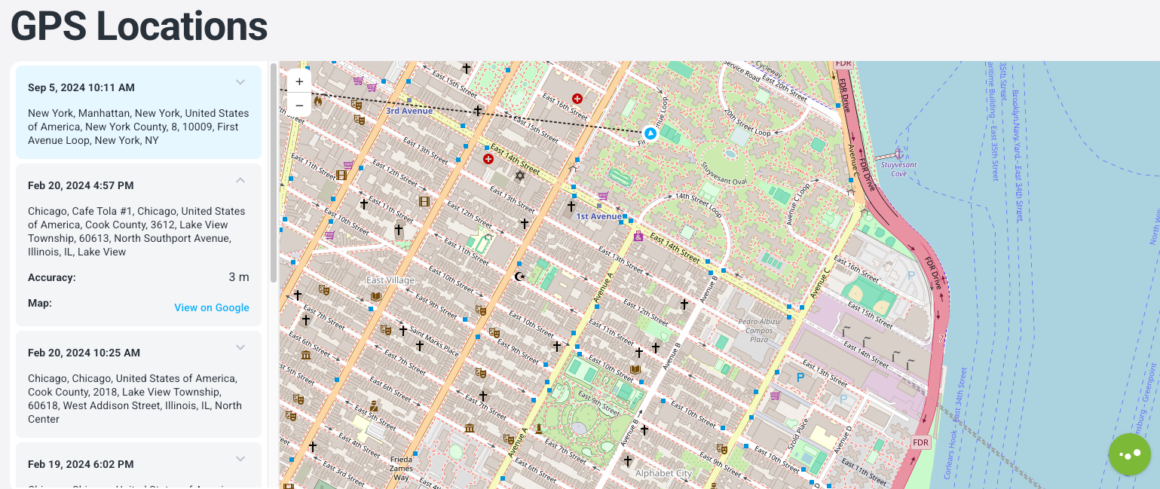
Key features: iMessage tracking, GPS location history, social media monitoring, browser history and site blocking, keylogger, call monitoring.
Price: Multiple plans available (Premium, Extreme, Family Kit). Check current pricing on the official site, since plans and promotions change often.
Go with Eyezy if deleted messages are the real concern
Teenagers delete things. Eyezy is built around that specific problem through its Social Spotlight feature, which is designed to surface conversations even after they have been removed from the device. Location tracking runs on GPS and Wi-Fi, and the same monitoring extends across WhatsApp, Snapchat, Instagram, Facebook, and iMessage.
Key features: Social media monitoring (WhatsApp, Snapchat, Instagram, Facebook, iMessage), location tracking, call and contact monitoring, browsing history, keylogger.
Price: Multiple plans available. Pricing varies by billing cycle, so check the site directly for current offers.
Go with Qustodio if you care more about limits than content
Some parents do not want to read every message. They want app usage capped and certain sites blocked, full stop. Qustodio blocks over 25,000 iOS apps, filters Safari and Chrome, and sends saved place alerts for location. The one limitation worth knowing up front: reading calls and texts on iOS needs a paired Windows or Mac computer, which is an extra step most of the other apps on this list skip.
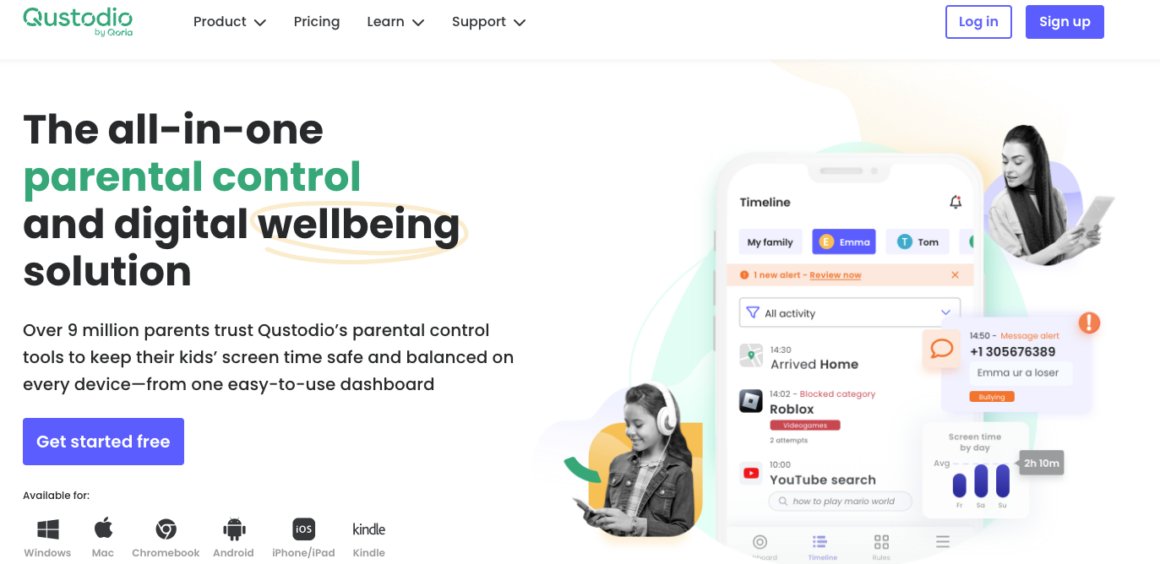
Key features: Web filtering, app blocking (25,000+ apps), location with saved place alerts, social monitoring (WhatsApp, Instagram, TikTok, Snapchat, X), YouTube monitoring, activity reports.
Price: Basic $59.95 per year, about $5 per month. Complete $104.95 per year, about $8.75 per month.
Go with Aura if you want this running today, not this weekend
Aura trades depth for speed. The Kids plan covers every device in the house under one subscription, handles content filtering and screen time scheduling, and includes a feature to pause the internet entirely when needed. It skips the message-level access that mSpy and Eyezy offer, which is the tradeoff for a setup that takes minutes instead of an afternoon.
Key features: Content filtering and site blocking, screen time limits and scheduling, pause the internet, online activity reports, social interaction insights.
Price: Kids plan $10 per month billed annually or $13 per month billed monthly. Family plan $32 per month annual or $50 per month monthly.
Go with Bark if you want alerts, not a live feed
Bark does not hand you a scrolling transcript of everything your teenager writes. It scans for signs of bullying, predatory contact, and self-harm language, and flags those specifically. On iPhone, catching the full picture requires adding Bark Sync, a charger-based accessory, because Apple blocks third-party apps from reading on-device messages directly without it.
Key features: Social media, text, email, and web activity monitoring; screen time and app or site blocking; live GPS with location alerts.
Price: Bark app $14 per month or $99 per year. Bark Sync adds $6 per month or $49 per year for full iOS message access.
Go with Norton Family if you want something your teenager can see too
Norton Family stays out of private messages entirely and sticks to web activity, search terms, YouTube history, and location. Some parents prefer that boundary on purpose, especially with older teenagers who are earning more independence and would push back hard against message monitoring specifically.
Key features: Web and search supervision, YouTube video history, location tracking with 30 day history, instant device lock, email alerts on blocked sites.
Price: $49.99 per year for the first year. Renewal rate applies after that.
Go with OurPact if scheduling is the actual fight in your house
If the daily argument is about screen time rather than who your teenager is talking to, OurPact solves that specific problem. It sets custom rules for school hours, bedtime, and family time, with instant block or unblock when plans change. The Premium+ tier adds automated screenshots with AI flagging, for parents who eventually want more than a schedule.
Key features: Screen time scheduling, geofencing and location history, iPhone restrictions against app deletion and in app purchases, screenshot monitoring on Premium+.
Price: Premium $6.99 per month, $69.99 per year. Premium+ $9.99 per month, $99.99 per year.
Test it before you trust it
An app that looks installed is not the same as an app that is actually working. Open the dashboard within the first day and confirm real activity is showing up, not a blank screen waiting to populate. Check the phone itself too. If it visibly slows down or the battery drains faster than normal, your teenager will notice before you do, and that is usually what leads to an app getting deleted within a week.
Talk to your teenager before you install anything, not after
None of these apps get around Apple or Google’s actual privacy protections, and none of them are meant for monitoring someone without consent on a device that is not yours to manage. For your own teenager’s device, a short conversation about what the app does and why tends to hold up better long term than installing it quietly and hoping it never comes up.