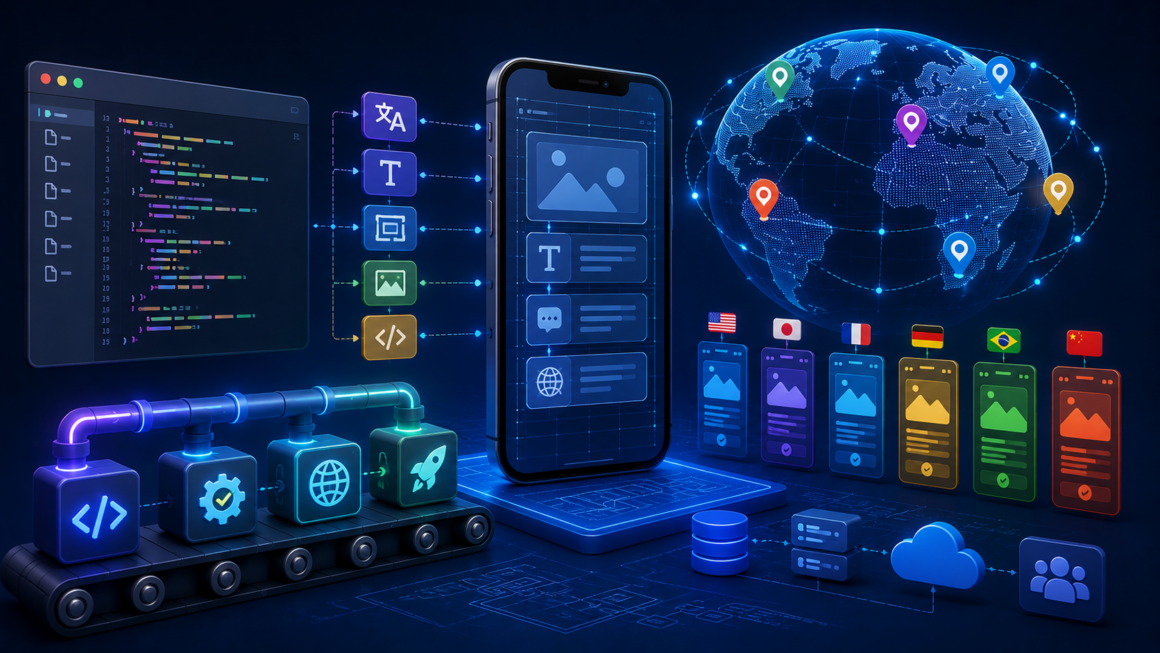
Key Takeaway
Mobile app internationalization is the engineering work that makes your app capable of supporting multiple languages, currencies, date formats, and cultural conventions. Skip it, and every language you add later becomes exponentially more expensive.
TL;DR: Modern mobile app i18n involves externalizing strings, implementing locale-aware formatting, supporting text expansion and RTL scripts, and integrating with a translation platform through continuous workflows. Studios that build these patterns from day one ship in fifteen or more languages at a fraction of the cost of teams that retrofit i18n into a mature codebase.
Global mobile app markets in 2026 look nothing like they did five years ago. App stores in dozens of regions reward localized listings with higher visibility, retention curves bend sharply upward when the product speaks the user’s native language, and entire categories — fintech, health, education — depend on regional adaptation to operate at all. Yet most product teams still treat localization as a launch-week scramble, plugged in when the build is nearly ready and abandoned the moment the first translation ships.
The teams that get global mobile releases right have stopped treating localization as a translation problem and started treating it as an engineering problem. They build internationalization (i18n) into the codebase from day one, so that adding a new language becomes a matter of configuration rather than architectural rework.
Once the engineering foundation is in place, app localization turns into an ongoing service that runs alongside development rather than a project that blocks releases. For example, mobile app localization services from Crowdin, integrate directly with iOS and Android build systems, translation memory, and continuous integration pipelines — pushing strings to production apps without engineering bottlenecks. This article walks through what i18n actually means for modern mobile apps, the step-by-step process for implementing it correctly, best practices from studios shipping in dozens of languages, and the common mistakes that force expensive retrofits.
Main Content: What Mobile App i18n Actually Involves
Internationalization is the architectural work that separates language and culture from application logic. In a properly internationalized mobile app, every user-facing string, every date, every number, every currency, and every symbol lives outside the code — in resource files, configuration systems, or externalized templates that can be swapped for different locales without touching a line of application logic.
For modern mobile apps, i18n operates across five distinct dimensions.
- String externalization. Every user-visible text — labels, error messages, button text, push notifications, in-app messages — lives in locale-specific resource files. On iOS, these are .strings or .stringsdict files. On Android, they are XML resource files in values-<locale> directories. Cross-platform frameworks use their own formats (Flutter’s .arb, React Native’s JSON, Xamarin’s .resx).
- Locale-aware formatting. Dates, times, numbers, currencies, and percentages are formatted through libraries that understand locale conventions rather than hardcoded patterns. A date that displays as “07/16/2026” for a US user must display as “16.07.2026” for a German user and “2026年7月16日” for a Japanese user — and the code that renders it should not need to know which locale it is in.
- Script and font support. The rendering pipeline handles CJK characters, right-to-left scripts (Arabic, Hebrew), diacritics, and combining characters without visual breakage. This includes font selection, line-breaking rules, and text direction handling that vary dramatically across languages.
- Layout flexibility. UI components accommodate text expansion — German is typically 30 percent longer than English, Finnish can be 60 percent longer, while Chinese and Japanese are shorter but denser. RTL scripts require mirrored layouts. Modern SwiftUI, Jetpack Compose, and Flutter widgets support these patterns natively when used correctly.
- Cultural configurability. Beyond text, cultural assumptions — name structure, address format, phone number patterns, week start day, calendar systems — must be configurable rather than hardcoded. An app that assumes first-name-last-name-only, US-style addresses, or Gregorian calendars breaks the first time a real user from a different culture opens it.
Step-by-Step Process for Implementing Mobile App i18n
Building i18n into a mobile app follows a predictable sequence. The order matters — skipping steps or doing them out of sequence produces the technical debt that makes later localization expensive.
- Step 1: Externalize all existing strings. Audit the codebase for hardcoded user-visible text. Move every string into the appropriate resource file with a stable, descriptive key. This is tedious but foundational — no other i18n work matters until this is done.
- Step 2: Implement locale-aware formatting. Replace hardcoded date, time, number, currency, and percentage formatting with calls to platform-native formatters (DateFormatter on iOS, DateFormat on Android). Test each formatter with three sample locales including a right-to-left one.
- Step 3: Add pseudo-localization to CI. Set up a build variant that automatically replaces English strings with expanded versions containing accented characters, RTL markers, and extra length. Run this variant through your UI tests to catch layout bugs early.
- Step 4: Set up the translation pipeline. Choose a localization platform, connect it to your source repository via webhook, and configure automatic string extraction. When new strings appear in the codebase, they should flow to translators without manual file exchange.
- Step 5: Configure automated quality checks. Enable placeholder validation, terminology enforcement, and length constraints in your translation platform. These checks catch localization bugs before they reach production.
- Step 6: Implement continuous integration for translations. When translators finish new strings, they should flow back into the source repository as pull requests. The engineering team reviews the PR like any other code change and merges it into the next release.
- Step 7: Establish LQA (Linguistic Quality Assurance) as a release gate. Before every release with new localized content, run a linguistic QA pass in each supported language. Native-speaking testers play through the app and file bugs against the localized version.
Best Practices for Mobile App i18n
Teams that operate mature i18n programs follow a recognizable set of practices.
- Treat English as just one locale. Do not hardcode English strings as the default. Every string exists in a locale file, and English is the source locale. This forces discipline and prevents drift.
- Use ICU MessageFormat for plurals and gender. Different languages have vastly different plural rules — Russian has three plural forms, Arabic has six. ICU MessageFormat handles these correctly across languages.
- Never concatenate translated strings. Word order varies across languages. Sentences built by concatenating fragments produce grammatical nonsense in most target locales. Use full templated strings with placeholders instead.
- Version your translation memory and glossary. These assets grow more valuable over time. Losing them to a vendor migration or file corruption erases years of accumulated work.
- Test with real locales, not just pseudo-localization. Pseudo-localization catches layout bugs, but only real translations in real locales reveal cultural, contextual, and tonal issues.
- Involve translators as part of the product team. Translators who understand your product produce dramatically better output than translators working from isolated strings. Give them access to builds, screenshots, and product context.
Common Mistakes That Force Expensive Retrofits
Even teams that intend to do i18n well often stumble on recurring mistakes.
- Hardcoding strings during rapid feature development. Feature teams under deadline pressure inline English text “temporarily” and promise to externalize it later. “Later” never comes, and the debt compounds. The fix is a lint rule that fails the build on hardcoded user-visible strings.
- Building UI around English text lengths. Designers build pixel-perfect layouts that work in English and break in German or Finnish. The fix is designing with a 40 percent expansion buffer from day one and running pseudo-localized builds in the design review process.
- Ignoring pluralization until it becomes a bug report. Teams write “You have {count} messages” and discover during translation that this construction produces incorrect grammar in Russian, Arabic, and Polish. The fix is using ICU MessageFormat from the start.
- Treating localization as a launch-week task. Teams finalize all English content, then hand it off for translation two weeks before launch. Translations arrive late, LQA gets skipped, and international users receive a broken product. The fix is continuous localization — translations flow with development, not after it.
- Not versioning translation memory. Teams migrate between platforms or vendors without exporting their translation memory in a portable format (TMX, XLIFF). Years of accumulated translations become orphaned assets. The fix is periodic exports and portable format requirements in vendor contracts.
Frequently Asked Questions
What is the difference between internationalization (i18n) and localization (l10n)?
Internationalization is the engineering work that makes an app capable of supporting multiple languages and cultures. Localization is the process of actually adapting the app for specific markets — translating strings, adapting cultural elements, adjusting regional formats. i18n happens once (or continuously as new features ship). Localization happens for every market you enter.
When should mobile app i18n be implemented?
Ideally, during initial development. Retrofitting i18n into a mature codebase is significantly more expensive than building it in from day one. If i18n was skipped initially, the right time to add it is before the first non-English user arrives — waiting until international demand appears means racing against the market.
What file formats do mobile apps use for localization?
iOS uses .strings and .stringsdict files, plus .xliff for exchange. Android uses XML resource files in values-<locale> directories. React Native typically uses JSON. Flutter uses .arb. Cross-platform teams standardize on one format and use build-time conversion for platform-specific outputs.
How much does mobile app localization cost per language?
Costs vary based on word count, quality tier, and whether machine translation with post-editing is used. Indie apps with 5,000-15,000 words typically budget $500-$3,000 per language for text-only localization. Enterprise apps with larger content volumes and voice-over needs can spend $10,000+ per language. Machine translation with human review dramatically reduces costs for routine content.
Can I localize my mobile app without engineering work?
Only partially. String translation can be outsourced to a service, but the engineering work of externalizing strings, supporting multiple scripts, and integrating a translation pipeline requires developer involvement. No-code localization overlays exist for web apps but do not work well for native mobile apps.
How do continuous localization workflows change the mobile release cycle?
Continuous localization removes the launch-week bottleneck. Instead of freezing English content weeks before release and waiting for translations, engineering ships new features in English, translations flow in parallel through the localization pipeline, and localized versions ship in the same release cycle. This compresses time-to-market for international releases from weeks to days.
What is Linguistic Quality Assurance (LQA)?
LQA is the process of playing through the localized app to catch translation errors, formatting issues, context bugs, and cultural adaptations that fail in-app. Native-speaking testers play the app in each supported language and file bugs against the localized version. It is the last line of defense before international users see the app.